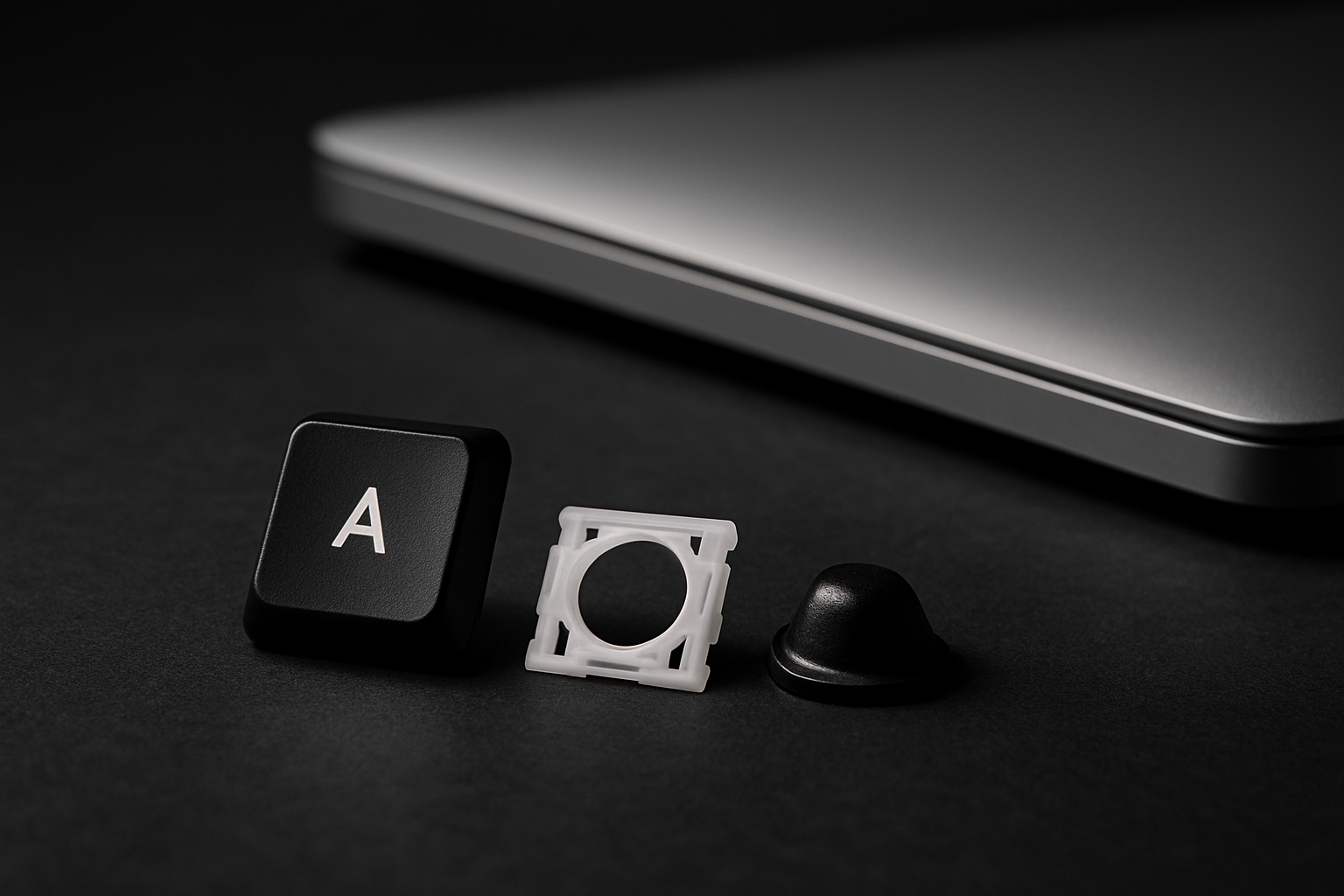
A laptop key is three small parts stacked on top of each other. Once you know their names, every key problem becomes obvious — and you stop ordering the wrong thing.
The three parts
1. The keycap
The piece you see and touch. Hard plastic, usually with the letter laser-etched into the surface. The cap has two or four small plastic latches on its underside that snap onto the retainer clip below it.
Fails when: a latch breaks (key won't stay on), the legend wears off (key is blank), or the whole cap is missing.
2. The retainer clip
A small white or translucent plastic frame, usually shaped like a flattened X or H. It sits between the keycap and the chassis and acts as a hinge — it's what makes the key press down evenly even if you hit the corner of the cap.
The clip latches onto two pairs of plastic posts molded into the laptop chassis itself. This is the part with the most variation between brands — see our retainer clip visual guide.
Fails when: a hook breaks (key feels loose or rattles), the X frame splits in two, or the latches that grab the chassis posts snap off.
3. The rubber cup
A small silicone dome that sits flat against the keyboard membrane underneath everything. When you press a key, the cup collapses, pushes a contact point on the membrane, and registers the keystroke. When you let go, the cup springs back and pops the key up.
Fails when: the cup tears, collapses permanently, or gets unstuck from the membrane. The key feels mushy, dead, or won't return to its starting position.
How they work together
Top to bottom: keycap snaps onto retainer clip, which latches onto the chassis, with the rubber cup sandwiched between the clip and the membrane. Press the cap, the clip pivots, the cup compresses, the membrane registers a press. Release, and the cup expands, the clip rotates back, the cap pops up.
Every key in your laptop is this same three-part stack. The middle row, the spacebar, and the function keys all use larger versions of the same design (the spacebar adds a thin metal stabilizer bar across the bottom, but the core anatomy is identical).
Why this matters when you order
Every key kit we sell includes all three parts — cap, clip, and cup — because if one fails, you should replace the others while you're in there. Old cups go gummy. Old clips have stress fractures you can't see. Spending the extra dollar for a full kit instead of just a cap means you fix the key once, not twice.
The only exception: if you've worn the legend off a perfectly functional key, you can replace just the cap. But honestly, by the time the legend wears off (usually three to five years of typing) the cup is also halfway dead.
Now you can diagnose anything
Try it: pop one of your good keys off (gently, fingernail under one corner). You'll see the white clip latched onto the chassis. Lift the clip and you'll see the rubber cup. Lift the cup and you'll see the silver membrane.
From now on, when a key feels wrong, you'll know which of the three parts to blame.
Ready to order? Search by your laptop model — every kit includes all three parts and ships same day.